Introduction to EasterAd
Welcome to the EasterAd documentation! This page introduces the EasterAd service and the concept of in-game embedded ads that you will use. If you want to learn how to use the EasterAd SDK, please refer to the Getting Started document.

EasterAd is a service for game developers to implement in-game embedded ads. With EasterAd, you can easily and quickly insert embedded ads into your Unity project to monetize your game.
What are In-Game Embedded Ads?
In-game embedded ads are ads that are naturally integrated into the game environment and exposed to users. These ads provide revenue to game developers without interrupting the user's gameplay. In-game embedded ads have the following characteristics:
- Naturally integrated into the game environment: They do not interrupt the user's gameplay and are seamlessly integrated into the game environment, enhancing the user's gaming experience.
- Continuous revenue generation: Ad revenue is continuously generated based on the user's gameplay. For example, by inserting embedded ads into a package game that only generated revenue at the time of purchase, you can achieve continuous revenue.
- Can be used alongside existing revenue models: Embedded ads can be used in conjunction with existing revenue models. For example, by inserting embedded ads into a game that adopts a freemium revenue model, you can obtain both ad revenue and revenue from the sale of paid items. You can even use both traditional ad formats and embedded ad formats together.
EasterAd
EasterAd provides all the necessary features for game developers to insert embedded ads into their Unity projects. Through EasterAd, game developers can utilize the following features:
Unity SDK
EasterAd provides a Unity SDK for inserting embedded ads into games. With the Unity SDK, game developers can easily and quickly insert embedded ads into their Unity projects.
The EasterAd SDK offers the following features:
- Easy Drag & Drop Ad Insertion: Easily insert embedded ads within the Unity Editor.
Ad Transmission and Display Control: Programmers can easily control the timing of ad transmission and display.
Debug Logs & Gizmo: Easily check the status of ad transmission and reception and whether the ad is being viewed in real-time.
Dashboard
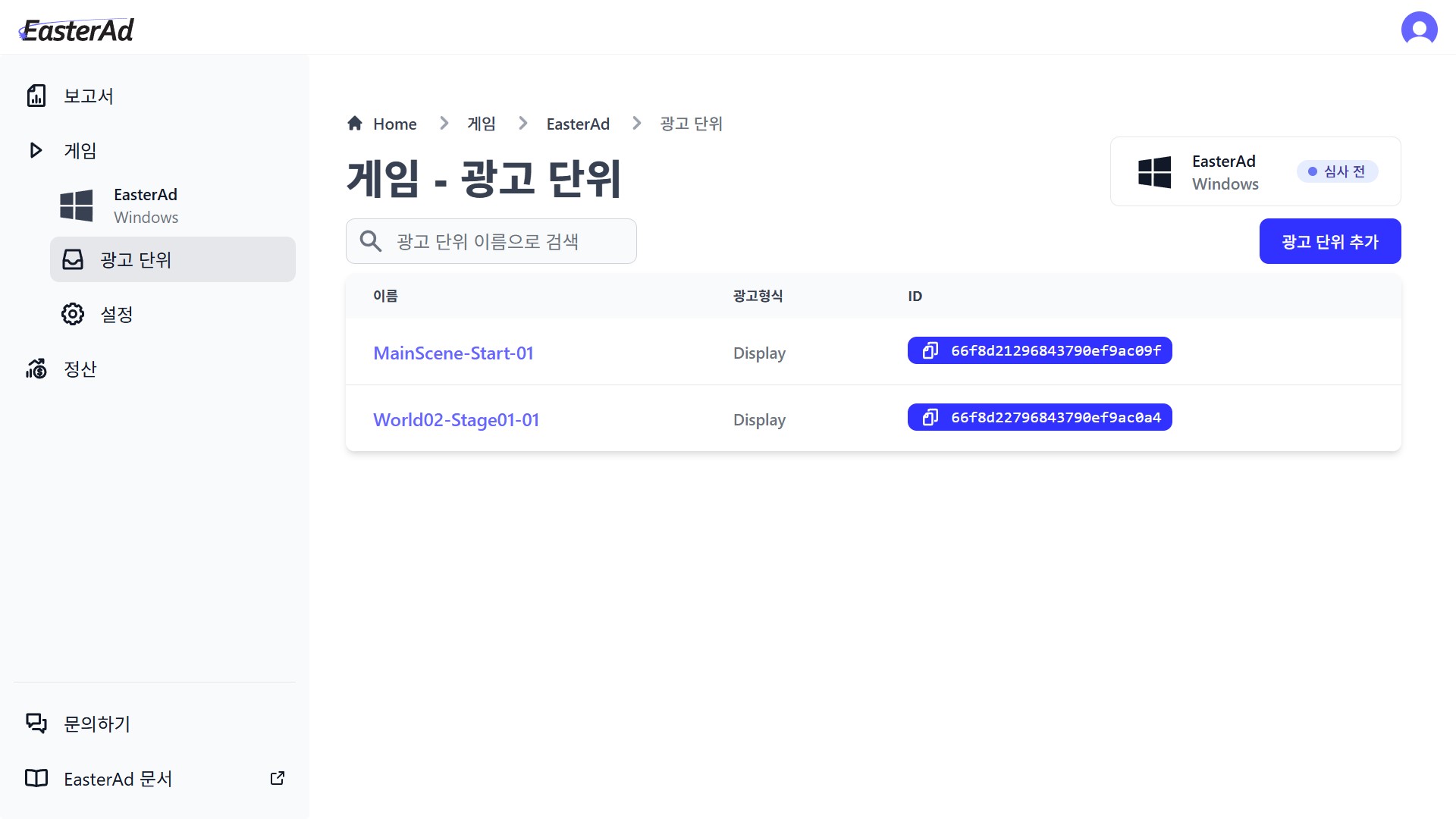
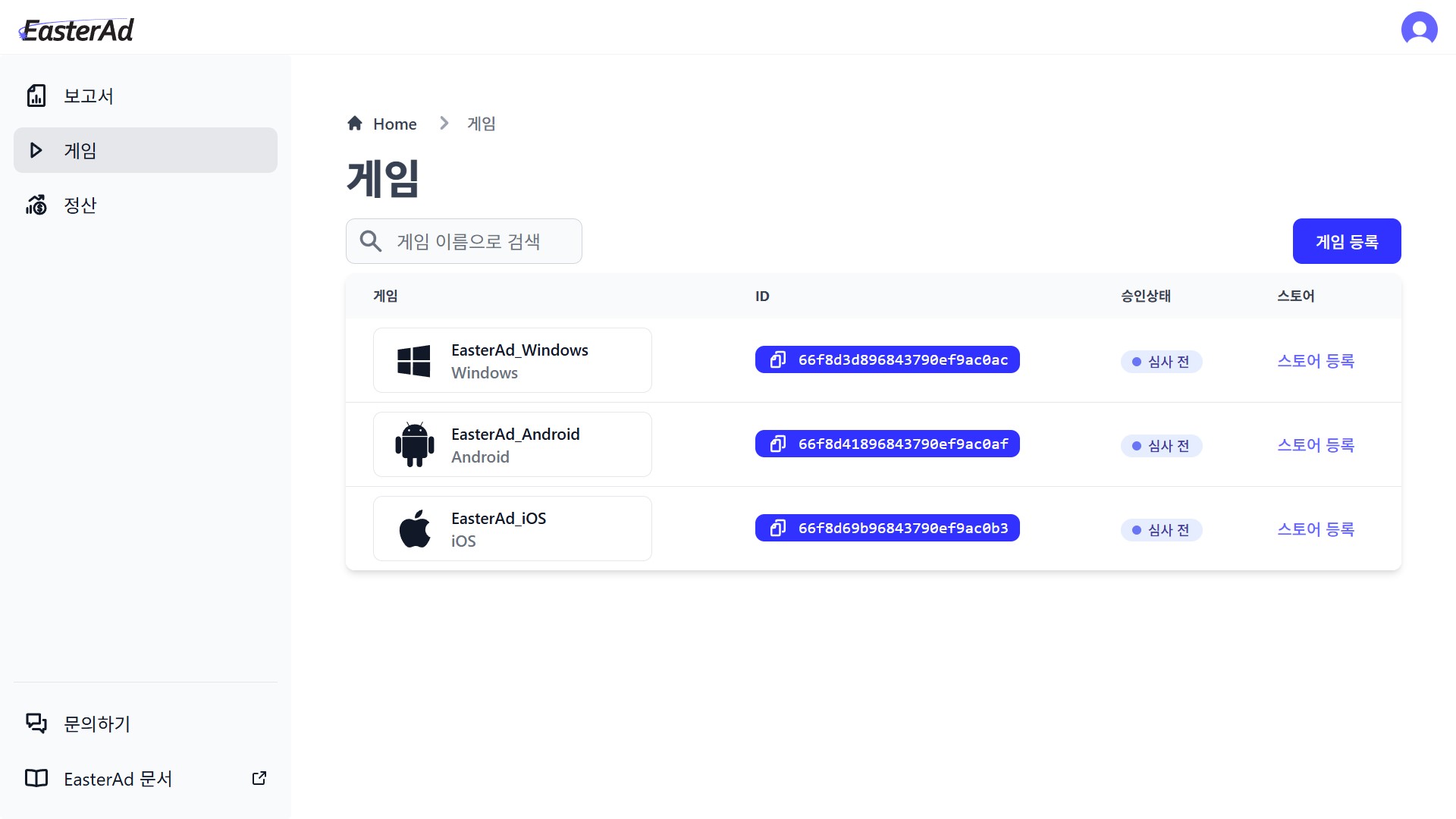
EasterAd provides a dashboard where game developers can check the status of ad insertion in real-time. Through the dashboard, game developers can register and manage the games and ad units they want to monetize.
The dashboard offers the following features:
Tutorials: Provides tutorials to easily learn how to use the EasterAd service.
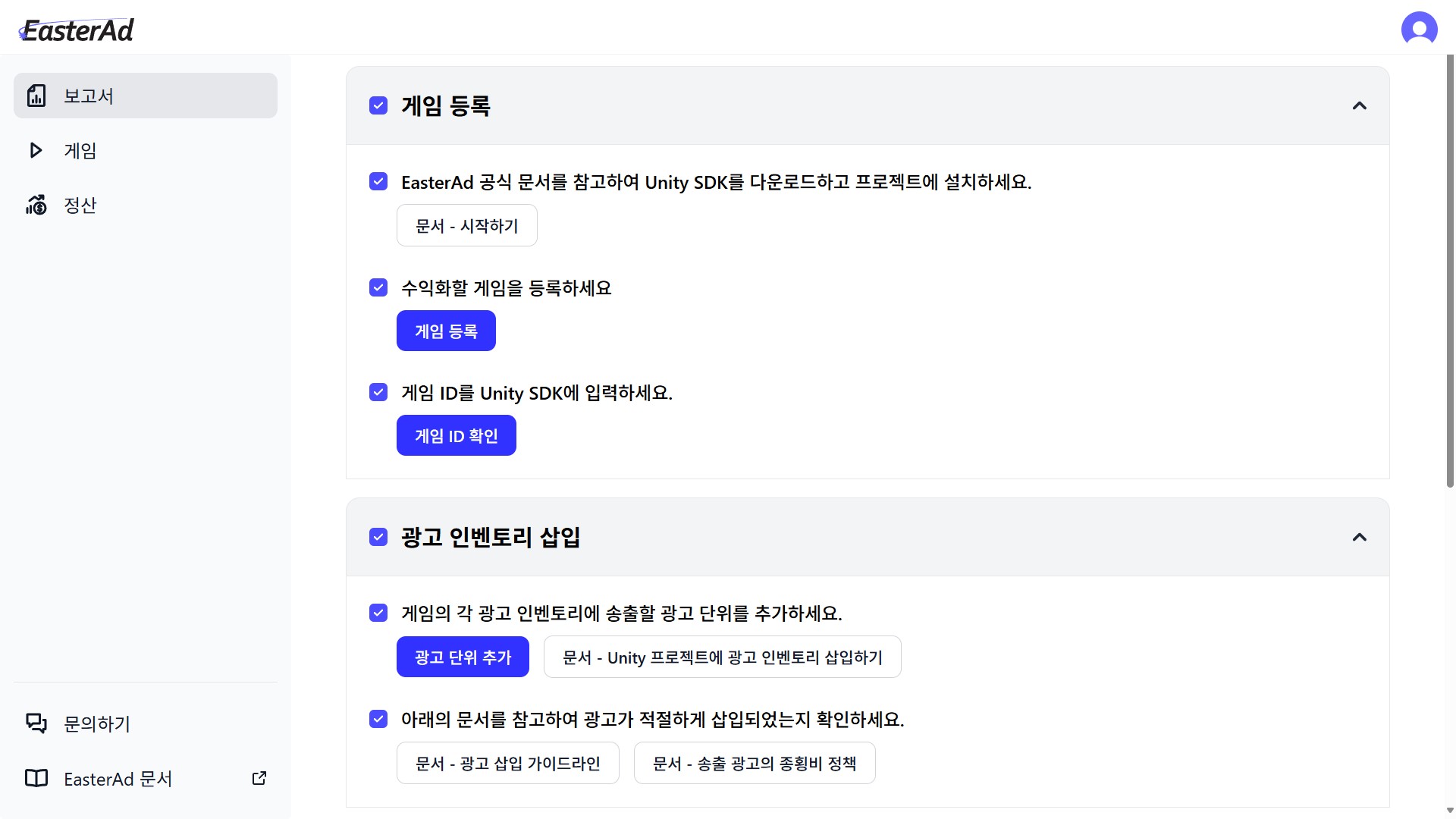
Game Registration: Allows you to register the games you want to monetize.
Ad Unit Registration: Allows you to register the ad units to be inserted into the game.